

Membership system update
We’ve switched our membership system.
Access your membership in just a few steps.
Visiting on the day
If you’re unable to book online in advance, Annual Members are still welcome to arrive on the day. Simply speak to a member of our team at the entrance, and they’ll be happy to help you gain admission.
If you have any questions or experience any issues at any point, please don’t hesitate to contact us or speak to one of our friendly staff members when you arrive.
We look forward to welcoming you back soon!
Step-by-step guide with images
Visit our new ticketing website: https://tickets.batterseaparkzoo.co.uk/
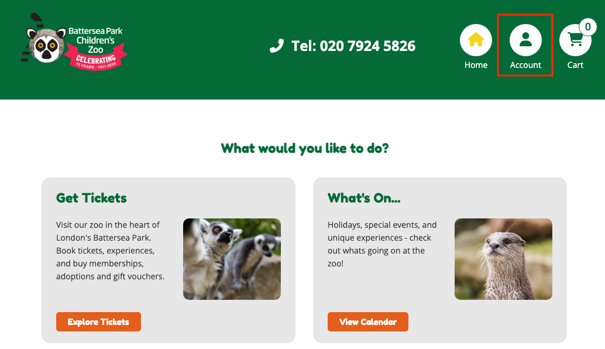
Select ‘Account’ in the top right-hand corner of the page.
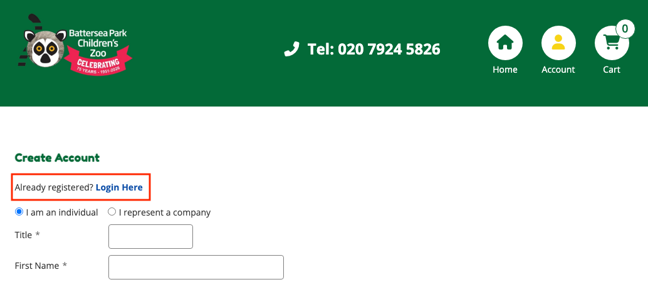
Click ‘Already registered? Login Here’.
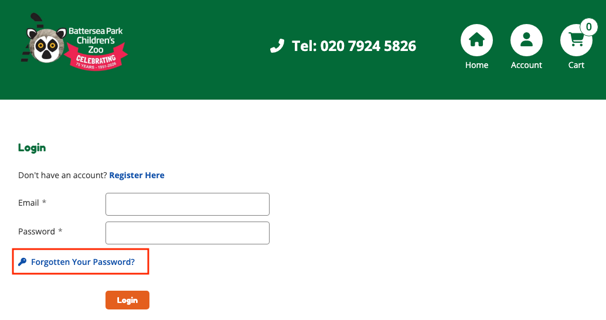
Select ‘Forgotten your password?’
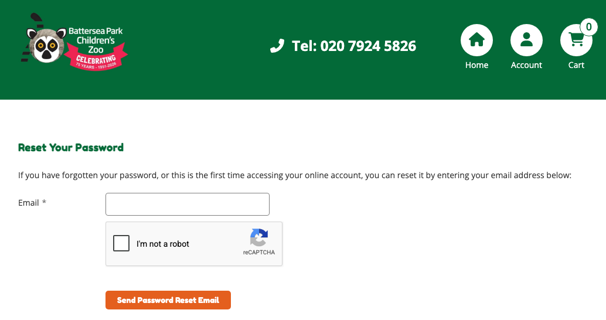
Enter the email address you previously used to book tickets with Battersea Park Children’s Zoo and select ‘Send Password Reset Email’.
Within a few minutes, you’ll receive a password reset email, allowing you to create a new password for your account.
Once your password is set, log in using your email address and new password. You’ll then be able to view your Membership details.
Within Account > View Orders, you can view the order for your membership that has been imported.
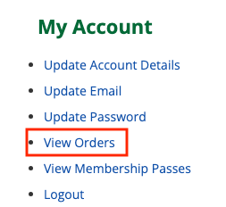
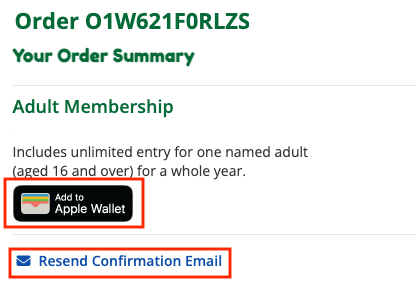
From here, to access your membership card, you can either select:
- Resend Confirmation Email
This will send out the order confirmation email to the address on your account. In this email, you will receive your QR code along with a link to add the membership to your Apple Wallet.
- If logged in on an Apple device, you will automatically see the Add to Apple Wallet option.
Similar to the confirmation email, this will add the membership to your Apple Wallet.
Once signed in, don’t forget to tick to receive news, updates, events and membership offers from the zoo!


Sign up to our newsletter
Join our mailing list in order to keep up to date with Zoo news and special offers.